Well, I tried to follow those instructions, but I still get all messed up. Heres a screenie of my photoshop file...
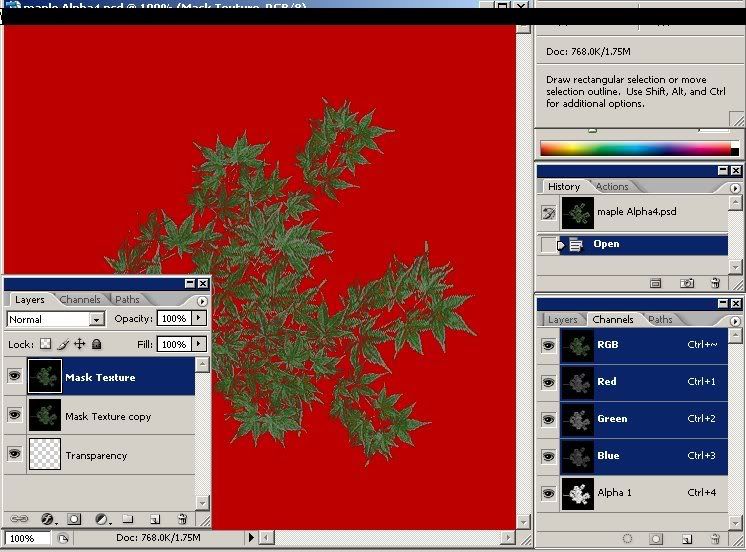
I selected the leaves in the Masked Texture layer, went to the channgels tab and created a new layer from selection. This created the alpha layer(?). 1 problem is, when I tried to save to DDS DXT5, I would get an error saying "too many channels 5".
I Have created alpha images and loaded them into blitz3d, just to check the alpha transparency and they worked fine. It was just that trying to use that Image as a texture and it would cause a zorder situation on the model.
Thanks for the help
I selected the leaves in the Masked Texture layer, went to the channgels tab and created a new layer from selection. This created the alpha layer(?). 1 problem is, when I tried to save to DDS DXT5, I would get an error saying "too many channels 5".
I Have created alpha images and loaded them into blitz3d, just to check the alpha transparency and they worked fine. It was just that trying to use that Image as a texture and it would cause a zorder situation on the model.
Thanks for the help